> ## Documentation Index
> Fetch the complete documentation index at: https://statsig-4b2ff144-serverless-cloudflare.mintlify.site/llms.txt
> Use this file to discover all available pages before exploring further.
# Decision Framework
A Decision Framework for experiment templates allows teams to standardize their interpretation of results and decision-making process. Once configured, it provides clear recommendations for which group to ship based on experimental outcomes. While the framework highlights recommended actions based on metric movements, it does not enforce any actions.
## Setup
To configure a Decision Framework, find your desired experiment template under **Settings** → **Templates**, then navigate to the **Decision Framework** tab. By selecting one primary metric and one or more guardrail metrics, you can choose a recommended action based on metric performance.
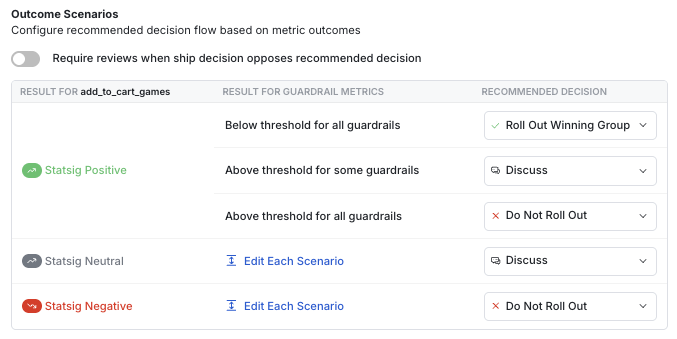 Three different types of recommendations can be configured:
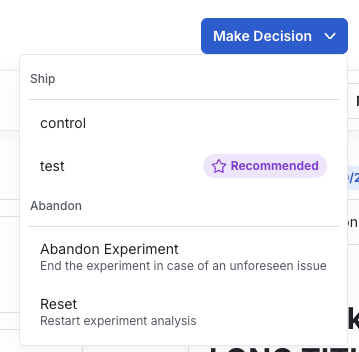
* **Rollout Winning Group**: An icon appears next to the winning group in the Make Decision button
* **Discuss**: A message appears on the experiment page recommending discussion before making a ship decision
* **Do Not Roll Out**: An icon appears next to the control group in the Make Decision button
Three different types of recommendations can be configured:
* **Rollout Winning Group**: An icon appears next to the winning group in the Make Decision button
* **Discuss**: A message appears on the experiment page recommending discussion before making a ship decision
* **Do Not Roll Out**: An icon appears next to the control group in the Make Decision button
 ## Reviews for shipping negative results
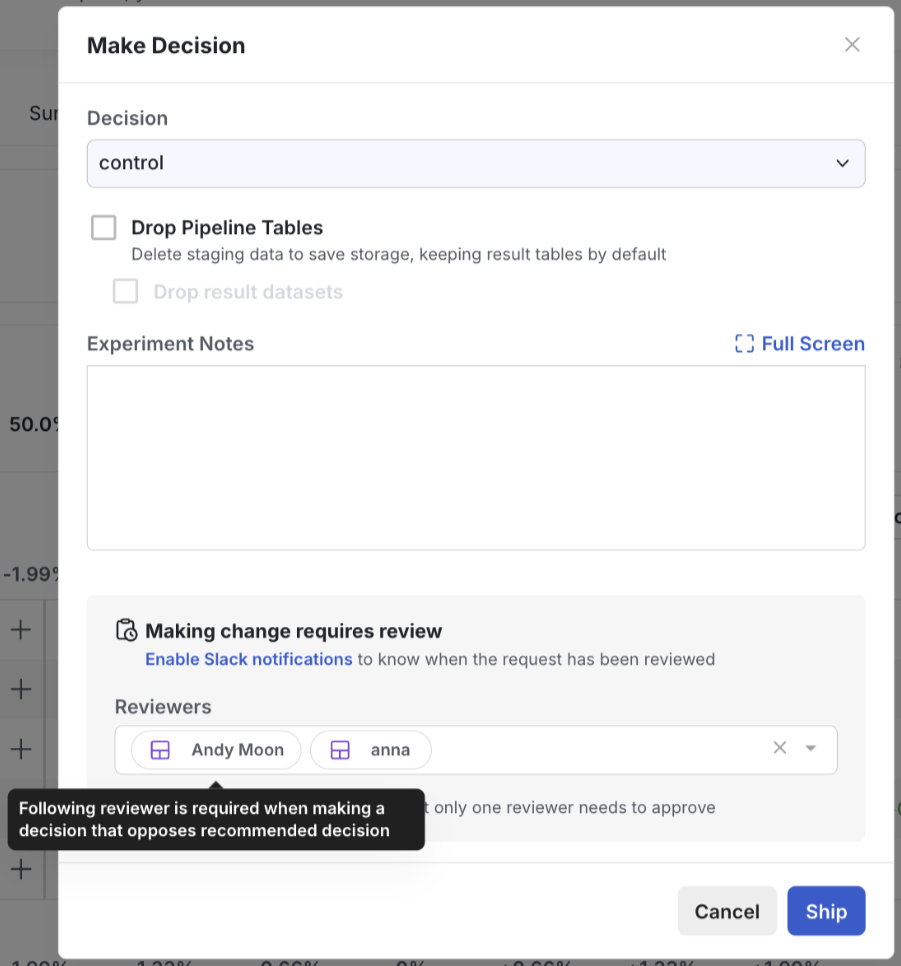
Reviewers can be set up when a shipping decision doesn't align with the recommendations configured in the decision framework. All it takes is to toggle on "Require reviews when decision opposes recommended decision" and add reviewers in the following dialogue box.
## Reviews for shipping negative results
Reviewers can be set up when a shipping decision doesn't align with the recommendations configured in the decision framework. All it takes is to toggle on "Require reviews when decision opposes recommended decision" and add reviewers in the following dialogue box.
 Once set up, a reviewer will be required in the following situations:
* **Rollout Winning Group**: Shipping a treatment group that is not recommended
* **Discuss**: Shipping any treatment group
* **Do Not Roll Out**: No review will be required
Once set up, a reviewer will be required in the following situations:
* **Rollout Winning Group**: Shipping a treatment group that is not recommended
* **Discuss**: Shipping any treatment group
* **Do Not Roll Out**: No review will be required