> ## Documentation Index
> Fetch the complete documentation index at: https://statsig-4b2ff144-serverless-cloudflare.mintlify.site/llms.txt
> Use this file to discover all available pages before exploring further.
# Feature Gate rule criteria
> Statsig feature gates contain a list of rules that are evaluated in order from top to bottom. This page describes in more detail how these rules are evaluated and lists all currently supported conditions.
Statsig feature gates contain a list of rules that are evaluated in order from top to bottom. The page describes in more detail how these rules are evaluated and lists all currently supported conditions.
## Rule Evaluation
The rules that you create are evaluated in the order they're listed. For each rule, the **criteria** or **conditions** determine which users *qualify* for the Pass/Fail treatments. The Pass percentage further determines the percentage of *qualifying* users that will be exposed to the new feature. The remaining *qualifying* users will see the feature disabled.
Suppose you set up your rules as shown below, the following flow chart illustrates how Statsig evaluates these rules.
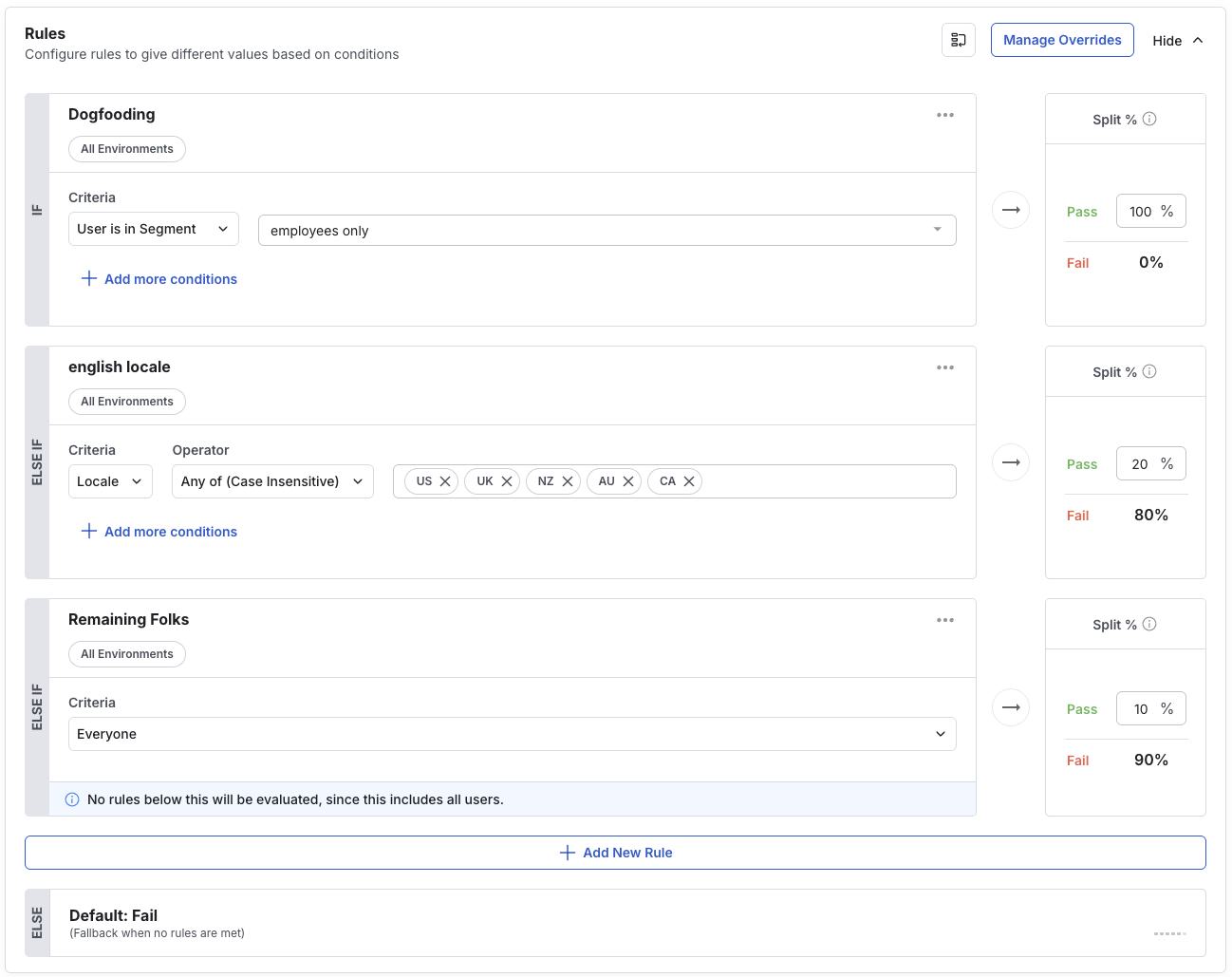
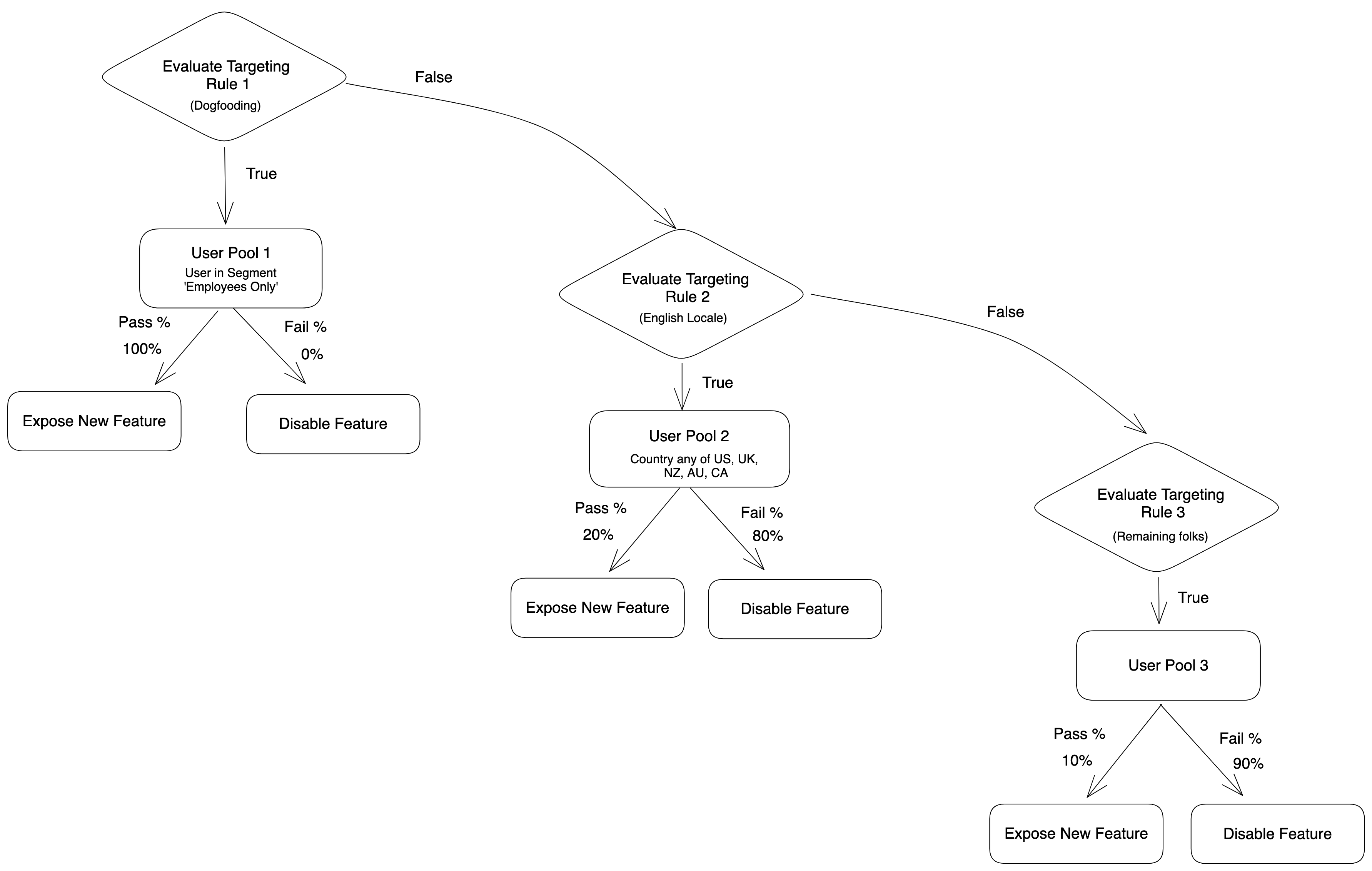 Note that as soon as a user qualifies based on the condition in a given rule, Statsig doesn't evaluate subsequent rules for this user. Statsig then picks the qualifying user to be in either the Pass or Fail group of that rule.
Also note that in the example, the third rule for **Remaining Folks** captures all users who don't qualify for previous two rules. If we were to remove this third rule, then only a subset of your users (users in pools 1 and 2) would qualify for this feature gate and for further analysis, not your total user base.
### Client vs Server SDKs
All of the following conditions work on both client and server SDKs. Client SDKs handle these conditions a bit more automatically for you - if you do not provide a userID, client SDKs rely on an auto-generated "stable identifier" which is persisted to local storage.
In addition, if you do not automatically set an IP or User Agent (UA), the client SDK will infer these attributes from the request IP and UA. Similarly, on mobile, the client SDK will automatically pass your app version and locale to the server so conditions using these attributes can be evaluated without having to set them explicitly.
### Stability
Evaluations at a given percentage are *stable* with respect to the unitID. For example, if the gate/config/experiment/layer has a unit type of "userID", and userID = 4 passes a condition at a 50% rollout, they will always pass at that 50% rollout. The same applies for `customIDs`, if the unit type of the entity is that `customID`. Want to reset that stability? See "Resalting" below.
### Resalting
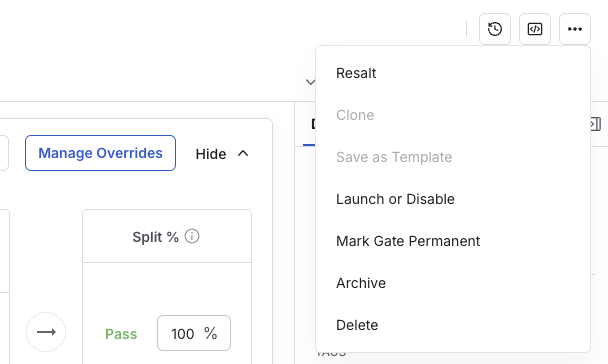
Gate evaluations are stable for a given gate, percentage rollout, and user ID. This is made possible by the salt associated with a feature gate. If you want to reset a gate, triggering a reshuffle of users, you can "resalt" a gate from the dropdown menu in the top right of the feature gate details page.
Note that as soon as a user qualifies based on the condition in a given rule, Statsig doesn't evaluate subsequent rules for this user. Statsig then picks the qualifying user to be in either the Pass or Fail group of that rule.
Also note that in the example, the third rule for **Remaining Folks** captures all users who don't qualify for previous two rules. If we were to remove this third rule, then only a subset of your users (users in pools 1 and 2) would qualify for this feature gate and for further analysis, not your total user base.
### Client vs Server SDKs
All of the following conditions work on both client and server SDKs. Client SDKs handle these conditions a bit more automatically for you - if you do not provide a userID, client SDKs rely on an auto-generated "stable identifier" which is persisted to local storage.
In addition, if you do not automatically set an IP or User Agent (UA), the client SDK will infer these attributes from the request IP and UA. Similarly, on mobile, the client SDK will automatically pass your app version and locale to the server so conditions using these attributes can be evaluated without having to set them explicitly.
### Stability
Evaluations at a given percentage are *stable* with respect to the unitID. For example, if the gate/config/experiment/layer has a unit type of "userID", and userID = 4 passes a condition at a 50% rollout, they will always pass at that 50% rollout. The same applies for `customIDs`, if the unit type of the entity is that `customID`. Want to reset that stability? See "Resalting" below.
### Resalting
Gate evaluations are stable for a given gate, percentage rollout, and user ID. This is made possible by the salt associated with a feature gate. If you want to reset a gate, triggering a reshuffle of users, you can "resalt" a gate from the dropdown menu in the top right of the feature gate details page.
 ### Partial Rollouts
While 0% or 100% rollouts for gates are simply "on for users matching this rule"/"off for users matching this rule", each rule allows you to specify a percentage of qualifying users who should pass (see the new feature).
If you want to get [Pulse Results](/pulse/read-pulse) (metric movements caused by a feature), simply specifying a number between 0% and 100% will create a random allocation of users in Pass/Fail or "test"/"control" groups for a simple A/B test.
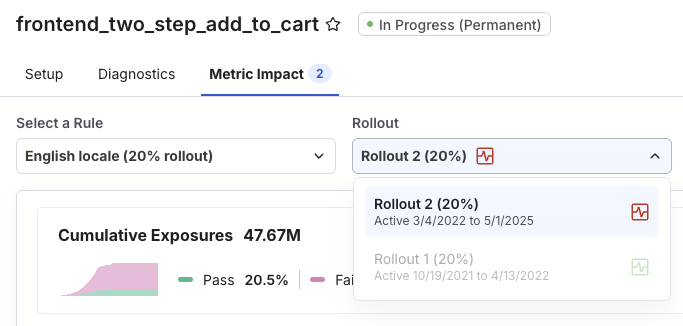
You can use this to validate that a new feature does not regress existing metrics as you roll it out to everyone. Statsig suggests a 2% -> 10% -> 50% -> 100% roll out strategy. Each progressive roll out will generate its own Pulse Results as shown below.
### Partial Rollouts
While 0% or 100% rollouts for gates are simply "on for users matching this rule"/"off for users matching this rule", each rule allows you to specify a percentage of qualifying users who should pass (see the new feature).
If you want to get [Pulse Results](/pulse/read-pulse) (metric movements caused by a feature), simply specifying a number between 0% and 100% will create a random allocation of users in Pass/Fail or "test"/"control" groups for a simple A/B test.
You can use this to validate that a new feature does not regress existing metrics as you roll it out to everyone. Statsig suggests a 2% -> 10% -> 50% -> 100% roll out strategy. Each progressive roll out will generate its own Pulse Results as shown below.
 ### User Object Fields
Evaluation uses the set of properties defined in the [StatsigUser object](/concepts/user). There are a set of reserved top-level fields, but these keywords are reserved and recognized in the `custom` and `privateAttributes` maps as well.
For example, if you set `user.country`, `user.custom.country` OR `user.privateAttributes.country`, it will be used to evaluated a country condition in any of those places (and in that order! top level > custom > privateAttributes), case insensitively. So if user.country is not defined, but user.custom.COUNTRY is, that will be used to evaluate a country condition.
## Supported Conditions
### User ID
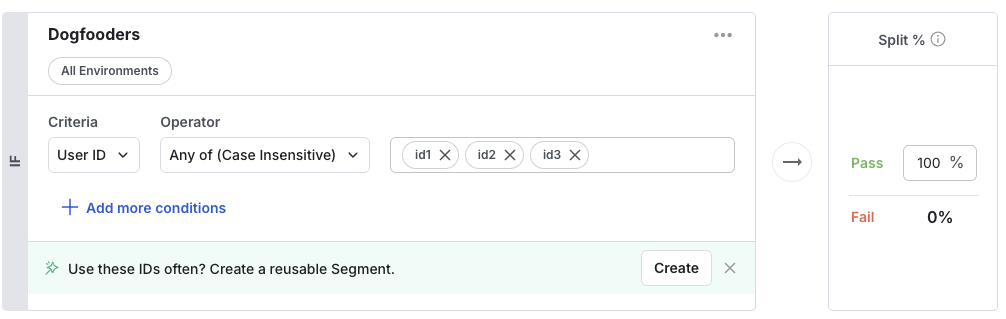
Usage: Simple lists of User IDs to explicitly target or exclude from a gate.
Supported Operators: `Any of, none of`
Example usage: Add yourself (or a small group like your team) when you just start building a new feature. Or exclude your designer until it's ready for their eyes.
### User Object Fields
Evaluation uses the set of properties defined in the [StatsigUser object](/concepts/user). There are a set of reserved top-level fields, but these keywords are reserved and recognized in the `custom` and `privateAttributes` maps as well.
For example, if you set `user.country`, `user.custom.country` OR `user.privateAttributes.country`, it will be used to evaluated a country condition in any of those places (and in that order! top level > custom > privateAttributes), case insensitively. So if user.country is not defined, but user.custom.COUNTRY is, that will be used to evaluate a country condition.
## Supported Conditions
### User ID
Usage: Simple lists of User IDs to explicitly target or exclude from a gate.
Supported Operators: `Any of, none of`
Example usage: Add yourself (or a small group like your team) when you just start building a new feature. Or exclude your designer until it's ready for their eyes.
 ### Email
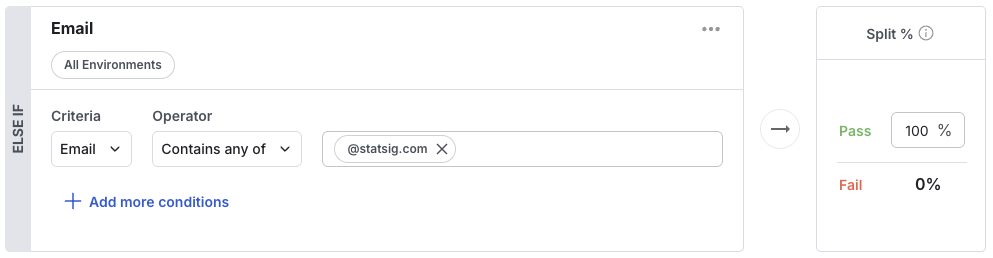
Usage: Target based on the email of the user
Supported Operators: `any of, none of, contains any of, contains none of`
Example: Show new feature to people in the Statsig company with an authenticated @statsig.com email address
### Email
Usage: Target based on the email of the user
Supported Operators: `any of, none of, contains any of, contains none of`
Example: Show new feature to people in the Statsig company with an authenticated @statsig.com email address
 ### Everyone
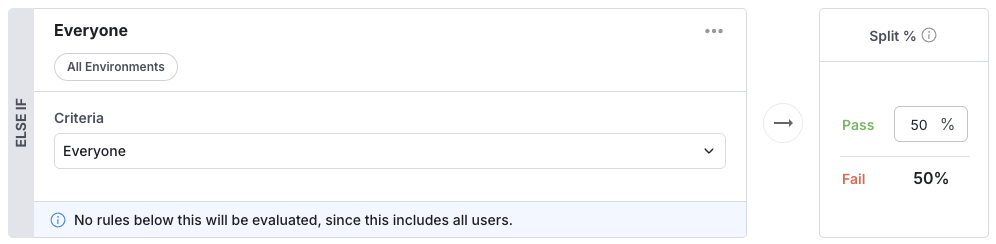
Usage: Percentage rollout on the remainder of users that reach this condition. Think of it as "everybody else" - there could be a dozen other rules/conditions above it, but for everyone else, what percentage do you want to pass?
Supported Operators: `None. Percentage based only.`
Example usage: 50/50 rollout to A/B test a new feature. Or 0% to hide the feature for all people not matching a set of rules. Or 100% to show the feature to the remaining users who did not meet a condition above.
### Everyone
Usage: Percentage rollout on the remainder of users that reach this condition. Think of it as "everybody else" - there could be a dozen other rules/conditions above it, but for everyone else, what percentage do you want to pass?
Supported Operators: `None. Percentage based only.`
Example usage: 50/50 rollout to A/B test a new feature. Or 0% to hide the feature for all people not matching a set of rules. Or 100% to show the feature to the remaining users who did not meet a condition above.
 ### App Version
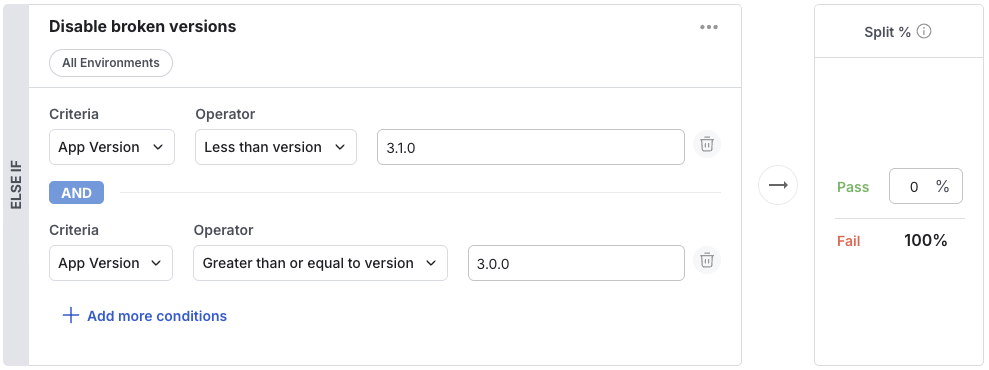
Usage: User's on a particular version of your app/website will pass. Particularly useful for mobile app development, where a feature may not be fully ready (or maybe be broken) in a particular app version.
Supported Operators: `>=, >, <, <=, any of, none of`
Example: Turn off a feature for all users on app versions 3.0.0 through 3.1.0 as it was broken.
### App Version
Usage: User's on a particular version of your app/website will pass. Particularly useful for mobile app development, where a feature may not be fully ready (or maybe be broken) in a particular app version.
Supported Operators: `>=, >, <, <=, any of, none of`
Example: Turn off a feature for all users on app versions 3.0.0 through 3.1.0 as it was broken.
 ### Browser Version
Usage: A particular version of a browser, parsed from the user agent. Should likely be combined with the browser name condition.
Supported Operators: `>=, >, <, <=, any of, none of`
Example: Turn off a feature for old versions of chrome which don't support a certain API
### Browser Version
Usage: A particular version of a browser, parsed from the user agent. Should likely be combined with the browser name condition.
Supported Operators: `>=, >, <, <=, any of, none of`
Example: Turn off a feature for old versions of chrome which don't support a certain API
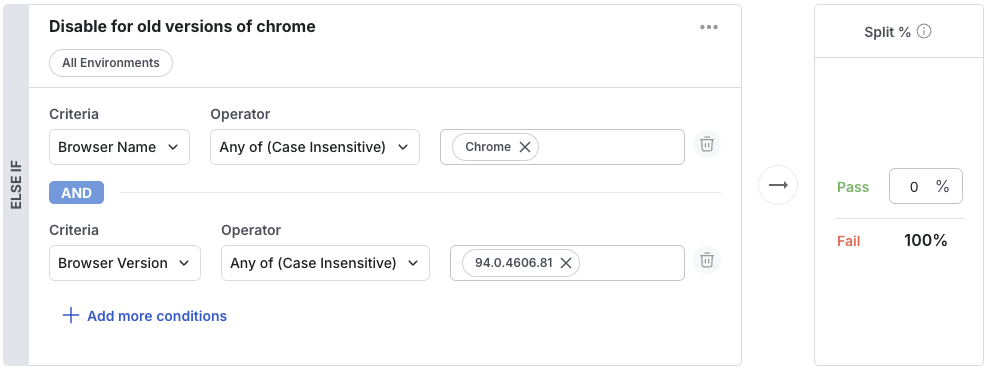 ### Browser Name
Usage: A particular browser, parsed from the user agent:
('Chrome',
'Chrome Mobile',
'Edge',
'Edge Mobile',
'IE',
'IE Mobile',
'Opera',
'Opera Mobile',
'Firefox',
'Firefox Mobile',
'Mobile Safari',
'Safari').
Often combined with the Browser Version condition.
Supported Operators: `>=, >, <, <=, any of, none of`
Example: Turn off a feature for old versions of chrome which don't support a certain API
To test: The Browser Name is inferred from the `userAgent`, but if you need to set it explicitly, you can set `browserName` in the user object.
### OS Version
Usage: A particular os version the user is on, parsed from the user agent. Should likely be combined with the Operating System condition.
Supported Operators: `>=, >, <, <=, any of, none of`
Example: Turn off a feature for versions of macOS which don't support a certain API
### Browser Name
Usage: A particular browser, parsed from the user agent:
('Chrome',
'Chrome Mobile',
'Edge',
'Edge Mobile',
'IE',
'IE Mobile',
'Opera',
'Opera Mobile',
'Firefox',
'Firefox Mobile',
'Mobile Safari',
'Safari').
Often combined with the Browser Version condition.
Supported Operators: `>=, >, <, <=, any of, none of`
Example: Turn off a feature for old versions of chrome which don't support a certain API
To test: The Browser Name is inferred from the `userAgent`, but if you need to set it explicitly, you can set `browserName` in the user object.
### OS Version
Usage: A particular os version the user is on, parsed from the user agent. Should likely be combined with the Operating System condition.
Supported Operators: `>=, >, <, <=, any of, none of`
Example: Turn off a feature for versions of macOS which don't support a certain API
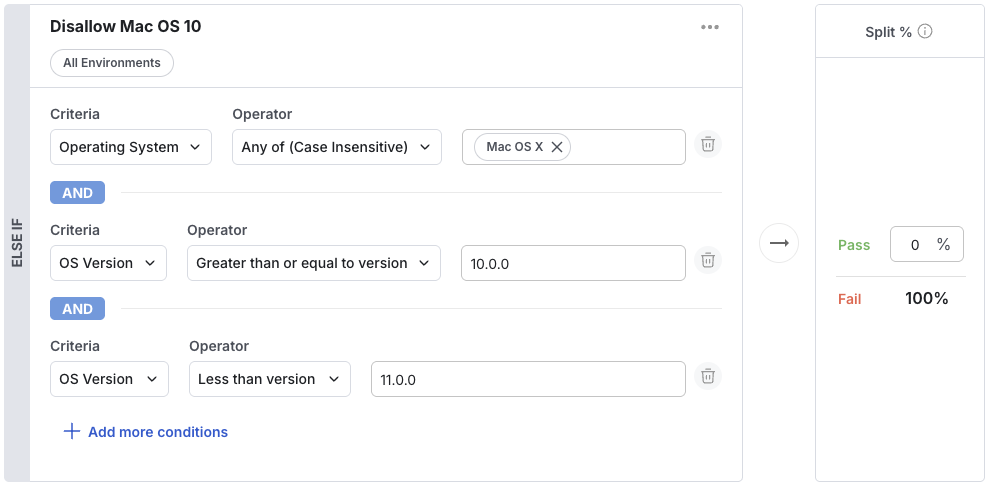 ### Operating System
Usage: A particular operating system, parsed from the user agent:
('Android', 'iOS', 'Linux', 'Mac OS X', 'Windows').
Often combined with the OS Version condition.
Supported Operators: `any of, none of`
Example: Turn off a feature for versions of macOS which don't support a certain API
To test: The OS is inferred from the `userAgent`, but if you need to set it explicitly, you can set `deviceOS` in the user object.
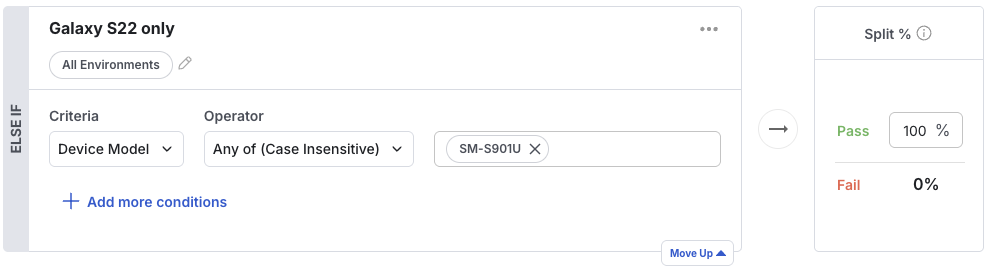
### Device Model
Usage: The device model of the mobile device the user is on.
Supported Operators: `any of, none of, is null, is not null, contains any of, contains none of, regex`
Example: Turn off a feature for older device models that your app does not support.
To test: The Device Model is automatically inferred by the SDK, but if you need to set it explicitly, you can set `deviceModel` in the user object.
### Operating System
Usage: A particular operating system, parsed from the user agent:
('Android', 'iOS', 'Linux', 'Mac OS X', 'Windows').
Often combined with the OS Version condition.
Supported Operators: `any of, none of`
Example: Turn off a feature for versions of macOS which don't support a certain API
To test: The OS is inferred from the `userAgent`, but if you need to set it explicitly, you can set `deviceOS` in the user object.
### Device Model
Usage: The device model of the mobile device the user is on.
Supported Operators: `any of, none of, is null, is not null, contains any of, contains none of, regex`
Example: Turn off a feature for older device models that your app does not support.
To test: The Device Model is automatically inferred by the SDK, but if you need to set it explicitly, you can set `deviceModel` in the user object.
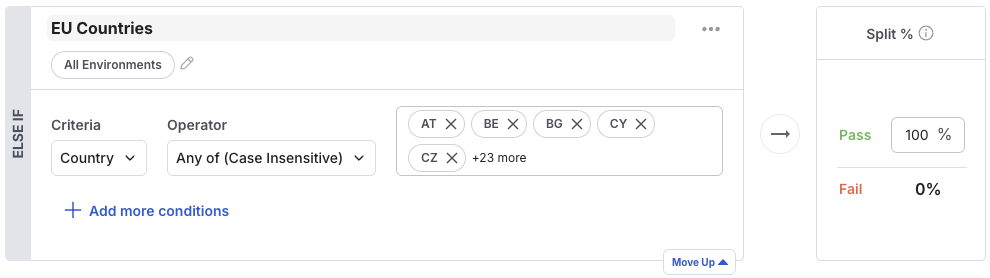
 ### Country
Usage: A 2 letter country code, either passed as the user's country or determined by the IP address.
Supported Operators: `any of, none of`
Example: Show a cookie consent banner for users accessing your service from the EU.
### Country
Usage: A 2 letter country code, either passed as the user's country or determined by the IP address.
Supported Operators: `any of, none of`
Example: Show a cookie consent banner for users accessing your service from the EU.
 ### IP address
Usage: An IP address string
Supported Operators: `any of, none of`
Example: Show a different about us page on [www.statsig.com](http://www.statsig.com) to people in a certain IP address range
### IP address
Usage: An IP address string
Supported Operators: `any of, none of`
Example: Show a different about us page on [www.statsig.com](http://www.statsig.com) to people in a certain IP address range
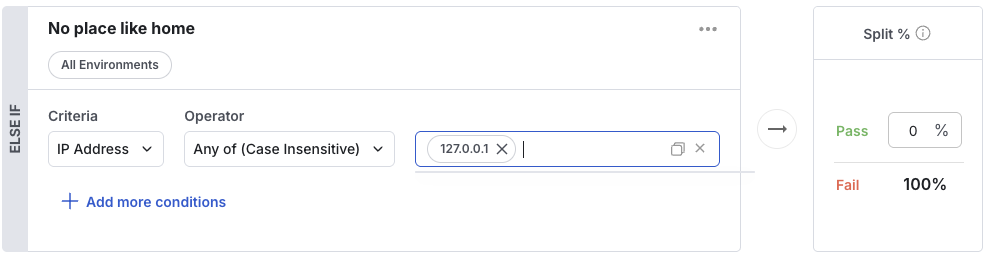 ### Passes Target gate
Usage: The condition passes if the referenced gate passes for the given user
Supported Operators: `gate_id`
Example: Only show feature X to people who also see feature Y: Only show a toggle to turn off ranking to people who also pass the new ranking algorithm gate.
### Passes Target gate
Usage: The condition passes if the referenced gate passes for the given user
Supported Operators: `gate_id`
Example: Only show feature X to people who also see feature Y: Only show a toggle to turn off ranking to people who also pass the new ranking algorithm gate.
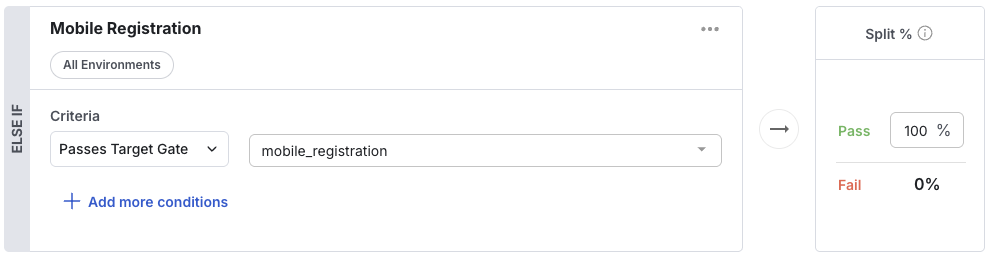 ### Fails Target gate
Usage: Inverse of passes target gate: the condition passes if the referenced gate returns false for the given user
Supported Operators: `gate_id`
Example: Only show a new UI element to people who are not using the redesigned UI.
### Fails Target gate
Usage: Inverse of passes target gate: the condition passes if the referenced gate returns false for the given user
Supported Operators: `gate_id`
Example: Only show a new UI element to people who are not using the redesigned UI.
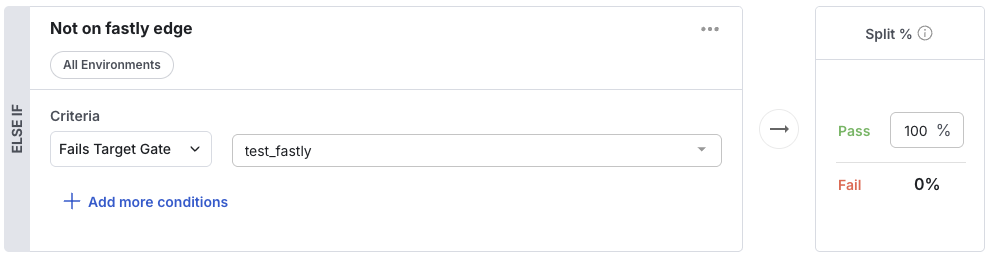 ### User in Segment
Usage: The condition passes if the user passes the rules defining the referenced segment. See the [segments guide](/guides/using-environments) for more information on segments.
Supported Operators: `segment_id`
Example: Only show a new UI element to people who are not using the redesigned UI.
### User in Segment
Usage: The condition passes if the user passes the rules defining the referenced segment. See the [segments guide](/guides/using-environments) for more information on segments.
Supported Operators: `segment_id`
Example: Only show a new UI element to people who are not using the redesigned UI.
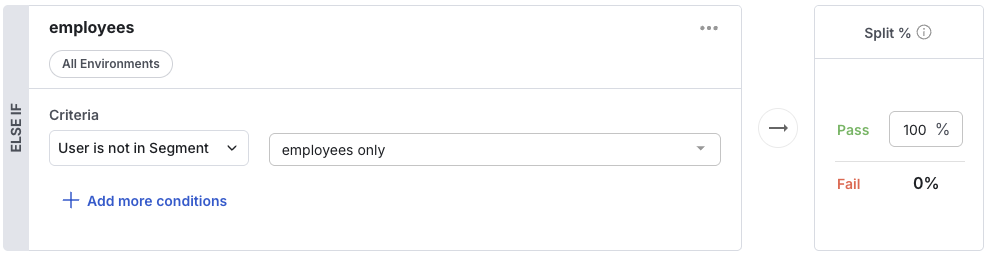
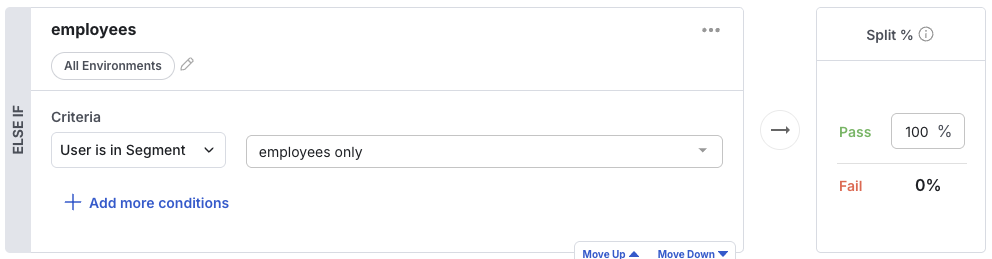 ### User not in Segment
Usage: The condition passes if the user fails the rules defining the referenced segment. See the [segments guide](/guides/using-environments) for more information on segments.
Supported Operators: `segment_id`
Example: Only show a feature to people who are not in the premium/paid tier.
### User not in Segment
Usage: The condition passes if the user fails the rules defining the referenced segment. See the [segments guide](/guides/using-environments) for more information on segments.
Supported Operators: `segment_id`
Example: Only show a feature to people who are not in the premium/paid tier.
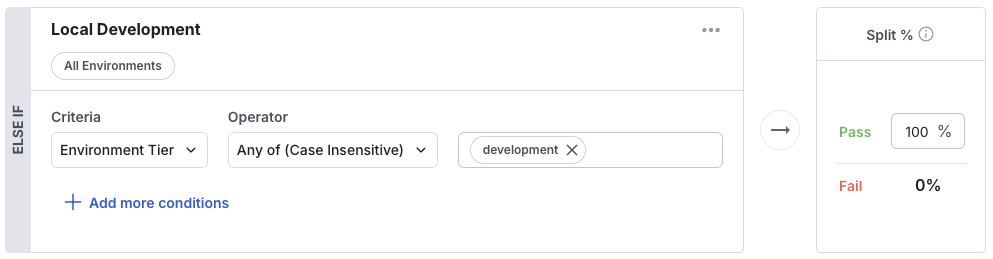
 ### Environment Tier
Usage: The condition passes if the evaluation is happening in the given environment tier (development/staging/production). See the [environments guide](/guides/using-environments) for more information on environments.
Supported Operators: `development/staging/production/(other)`
Example: Only show a feature on development builds
### Environment Tier
Usage: The condition passes if the evaluation is happening in the given environment tier (development/staging/production). See the [environments guide](/guides/using-environments) for more information on environments.
Supported Operators: `development/staging/production/(other)`
Example: Only show a feature on development builds
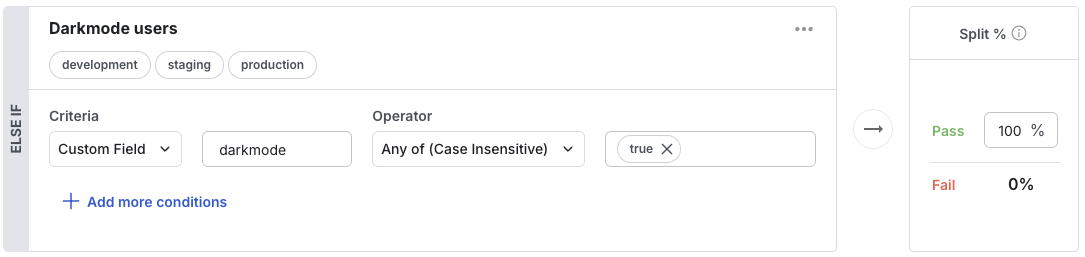
 ### Custom Field
Usage: Specify the key in the custom object to fetch the value use on the left hand side of a comparison
Supported Operators:
* string: `any of, none of, contains any of, contains none of`
* number: `any of, none of, less than, greater than`
* version: `any of, none of, less than, greater than, less than or equal to, greater than or equal to`
* date: `before, after`
Example: Only show a feature to user's who have turned on dark mode, as marked by the custom object having "darkmode": true.
### Custom Field
Usage: Specify the key in the custom object to fetch the value use on the left hand side of a comparison
Supported Operators:
* string: `any of, none of, contains any of, contains none of`
* number: `any of, none of, less than, greater than`
* version: `any of, none of, less than, greater than, less than or equal to, greater than or equal to`
* date: `before, after`
Example: Only show a feature to user's who have turned on dark mode, as marked by the custom object having "darkmode": true.
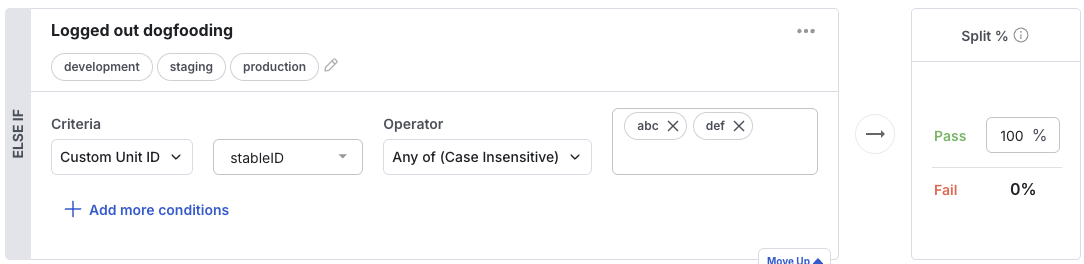
 ### Unit ID
Usage: Select custom ids to explicitly target or exclude from a gate.
Supported Operators: `any of, none of, is null, is not null, contains any of, contains none of, regex`
Example: Add yourself (or a small group like your team) when you just start building a new feature.
### Unit ID
Usage: Select custom ids to explicitly target or exclude from a gate.
Supported Operators: `any of, none of, is null, is not null, contains any of, contains none of, regex`
Example: Add yourself (or a small group like your team) when you just start building a new feature.
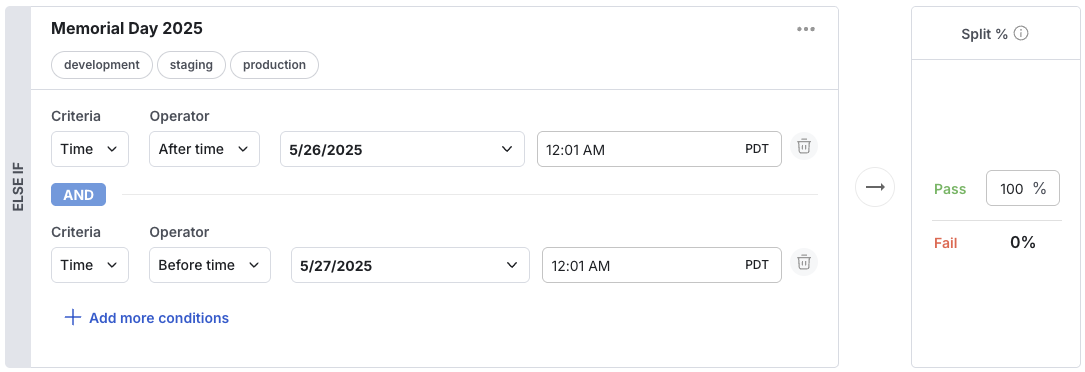
 ### Time
Usage: Evaluate a gate relative to the current time
Supported Operators: `after time, before time`
Value: time (displayed and input on Console in your browser's local time, but converted to a unix timestamp for evaluation)
Example: Show the labor day sale banner on labor day
### Time
Usage: Evaluate a gate relative to the current time
Supported Operators: `after time, before time`
Value: time (displayed and input on Console in your browser's local time, but converted to a unix timestamp for evaluation)
Example: Show the labor day sale banner on labor day
 ### Private Attributes
Usage: Any user field conditions, or custom field conditions, can be used via a private attribute. If you are targeting an email, but don't want it to be logged,
create an email condition, but put "email": "[xyz@email.com](mailto:xyz@email.com)" in the privateAttributes dictionary. For custom fields, create a custom field condition, but put the key/value pair in privateAttributes instead.
Remember that privateAttributes are used for evaluation only, and are not stored or kept on logEvents.
Supported Operators: dependent on the condition
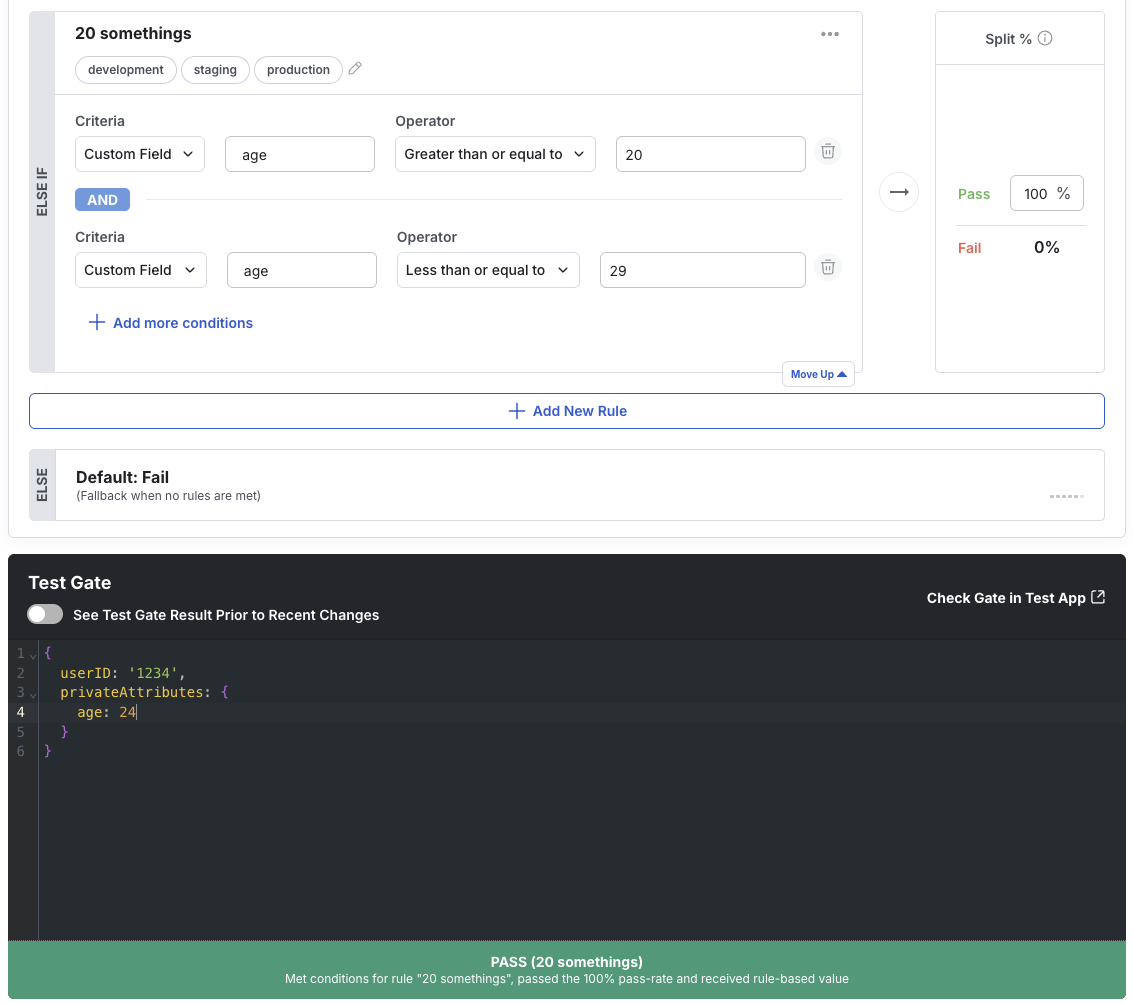
Example: Only show a feature to 20 somethings, as marked by the privateAttributes object having "age": "20-29".
### Private Attributes
Usage: Any user field conditions, or custom field conditions, can be used via a private attribute. If you are targeting an email, but don't want it to be logged,
create an email condition, but put "email": "[xyz@email.com](mailto:xyz@email.com)" in the privateAttributes dictionary. For custom fields, create a custom field condition, but put the key/value pair in privateAttributes instead.
Remember that privateAttributes are used for evaluation only, and are not stored or kept on logEvents.
Supported Operators: dependent on the condition
Example: Only show a feature to 20 somethings, as marked by the privateAttributes object having "age": "20-29".
 ## FAQs
Once a user is exposed, they will be included in the analysis going forward. They saw the new feature and were affected. If the feature gate rules are modified or the user's attributes change in a way that the user no longer qualifies, they will stop receiving the new feature. However, they will continue to be counted for analysis. Once you roll out the feature, all users will see the new feature; alternatively, if you turn off the feature gate, all users will see the control (feature disabled). In either case (roll out or turn off), Statsig performs no further analysis.
When you add user IDs in the **Pass** or **Fail** lists of your feature gate, these users will see the appropriate treatment but will not be included in the analysis.
## FAQs
Once a user is exposed, they will be included in the analysis going forward. They saw the new feature and were affected. If the feature gate rules are modified or the user's attributes change in a way that the user no longer qualifies, they will stop receiving the new feature. However, they will continue to be counted for analysis. Once you roll out the feature, all users will see the new feature; alternatively, if you turn off the feature gate, all users will see the control (feature disabled). In either case (roll out or turn off), Statsig performs no further analysis.
When you add user IDs in the **Pass** or **Fail** lists of your feature gate, these users will see the appropriate treatment but will not be included in the analysis.