> ## Documentation Index
> Fetch the complete documentation index at: https://statsig-4b2ff144-serverless-cloudflare.mintlify.site/llms.txt
> Use this file to discover all available pages before exploring further.
# Config History
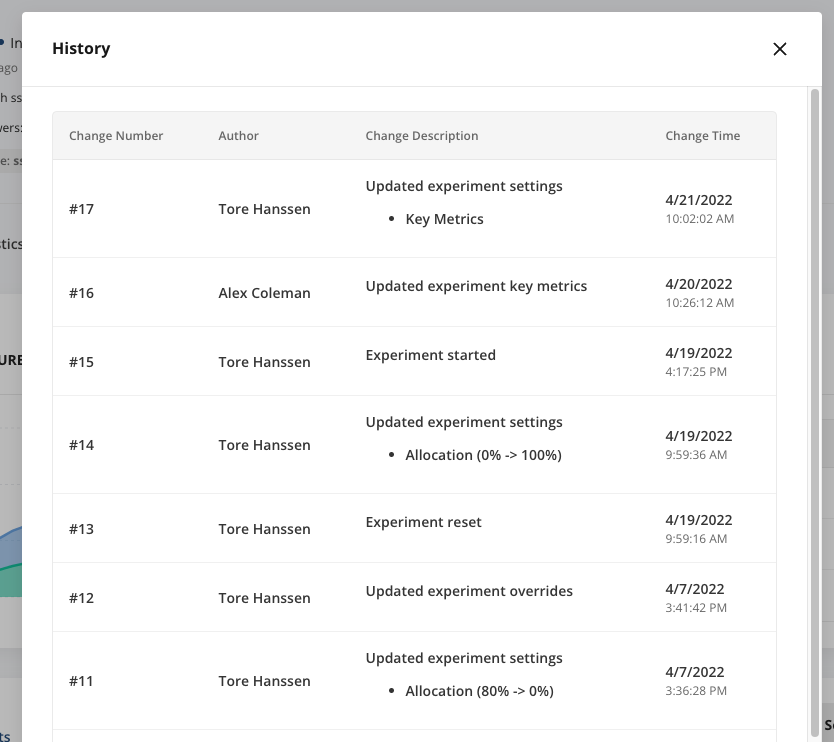
History for entities like Feature Gates, Experiments, Dynamic Configs, and Segments can be accessed by clicking the "History" button on the top right of the page.
 This page shows each change to a given config and the time that change was published.
 For Feature Gates and Dynamic Configs, there is also a "Preview" and "Restore" option. These are meant to make it easy to revert to a previous state, particularly if you start rolling something out that is causing issues in production. The "preview" action will show a diff view between the current state of the gate and the previous state you selected, so you can make sure you are reverting to the correct state.
 For Gates, Dynamic Configs, and Segments, you can also select two different versions, and compare the differences between the states of the entity between the two versions.
 Note that changes in nested configs are not listed (e.g. if this gate references another gate or segment via a "Passes Target Gate" or "User in Segment" condition, changes to the other gate or segment will not show in the history view).